Get Started
Add a clinic
A clinic(called a “client” in the API) is a record that represents one facility or practice in your system. Every eligibility check is scoped to a clinic — this lets you configure provider details per facility and track usage separately.
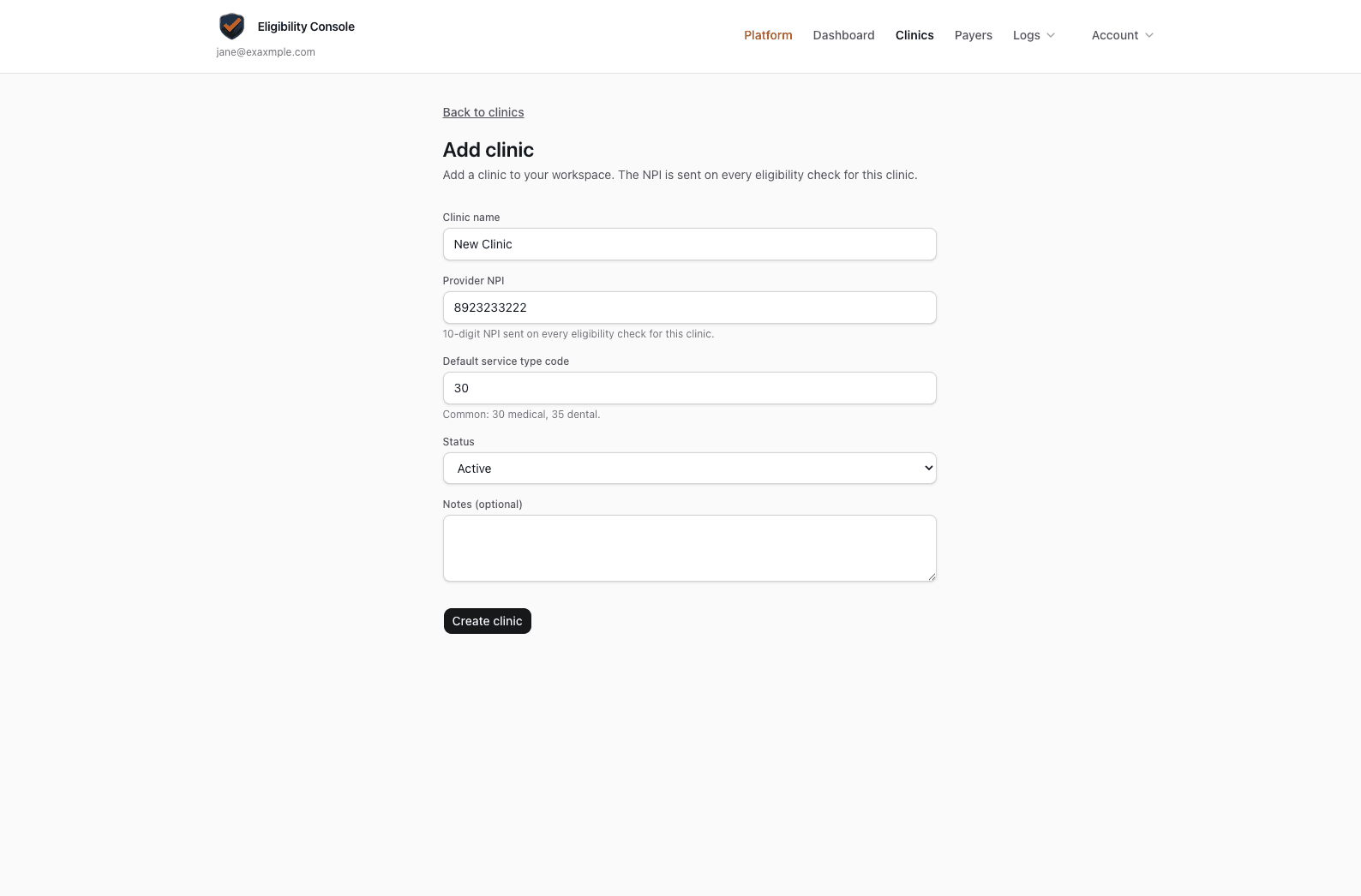
Create a clinic record
- 1In the navigation, click Clinics.
- 2Click Add new clinic.
- 3Fill in the Clinic name, Provider NPI (10-digit NPI sent on every check for this clinic), and optionally the default service type code (e.g.
30for Health Benefit Plan Coverage,35for dental). Click Create clinic.
Copy the Client ID
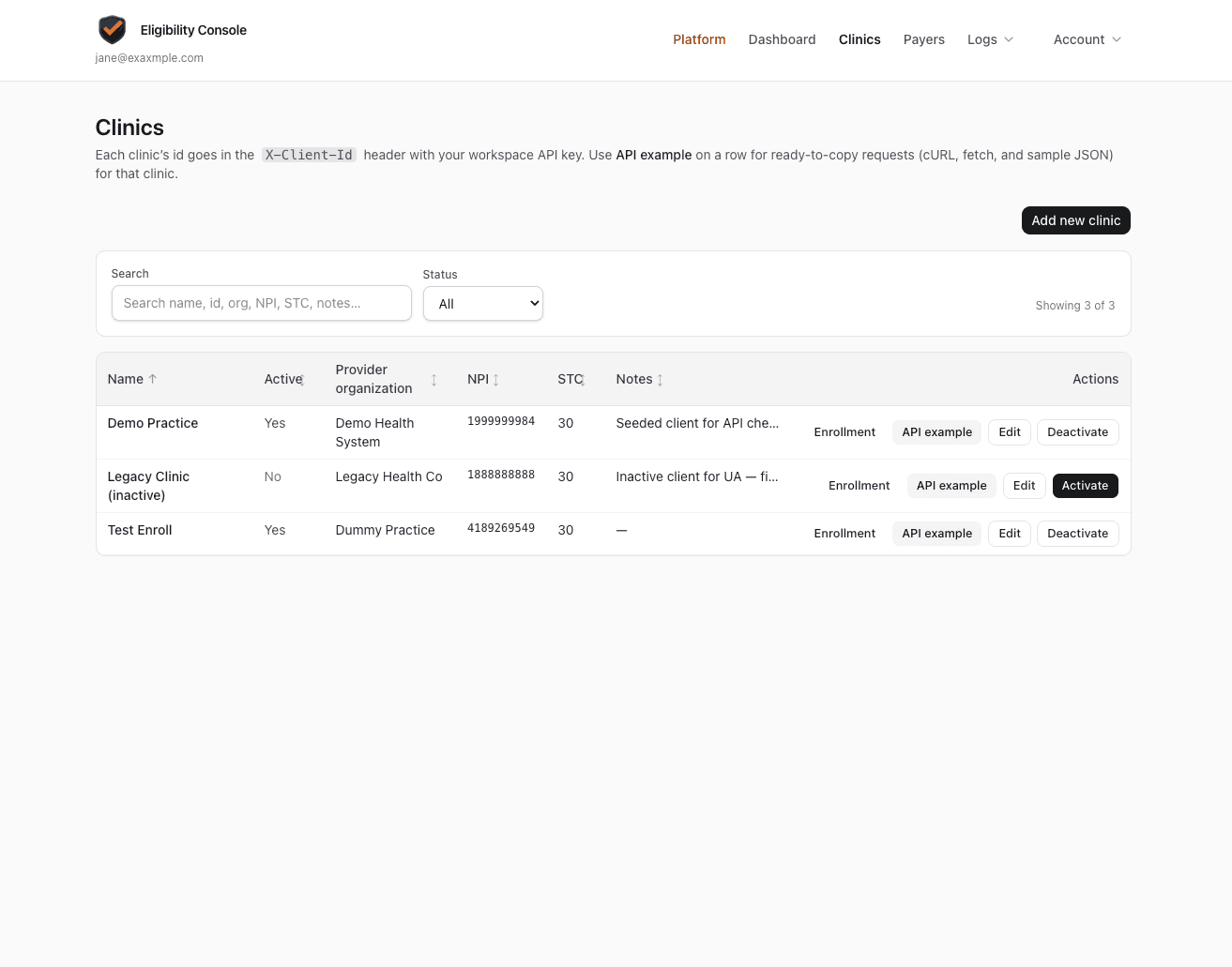
After creating, your clinic appears in the table. The Client ID is the UUID shown in the clinic row — click API example on the row to see it pre-filled in ready-to-copy cURL and fetch snippets.
Save this UUID
Every API call requires the Client ID in the X-Client-Id header. It must belong to the same workspace as your API key — mismatches return a WORKSPACE_MISMATCH error.